
YOUR BRAND GUIDELINES ARE A PDF. PERPLEXITY BUILT TOOLS INSTEAD
You know the moment. Final presentation's done, the client cried (good tears), and you hand over the guidelines. Eighty pages. Clear space diagrams. A colour section with Pantone, CMYK, RGB and hex, lovingly checked twice. And the pièce de résistance: the do's and don'ts spread, where the logo is stretched, drop-shadowed, rotated 12 degrees and slapped on a busy photo of a beach, each one with a tiny red cross of shame.
Six months later, someone in marketing does every single one of those things. In Canva. On a Friday. Because the deck was due at three.
Nobody opened the PDF. Nobody has ever opened the PDF. A guidelines PDF is a love letter nobody opens.
Last week, Perplexity's design team said the quiet part out loud. In a Take Five interview with The Brand Identity, off the back of their talk at POV Budapest, designer Daisy Lee put it like this: "The PDF is where the thinking goes to die."
Rest in peace, page 47. We barely knew you.
Then she explained what they built instead. And that's the bit every brand designer, studio owner and in-house team should be paying attention to.
How Perplexity's design team designs with Perplexity
If you searched your way here, here's the short answer.
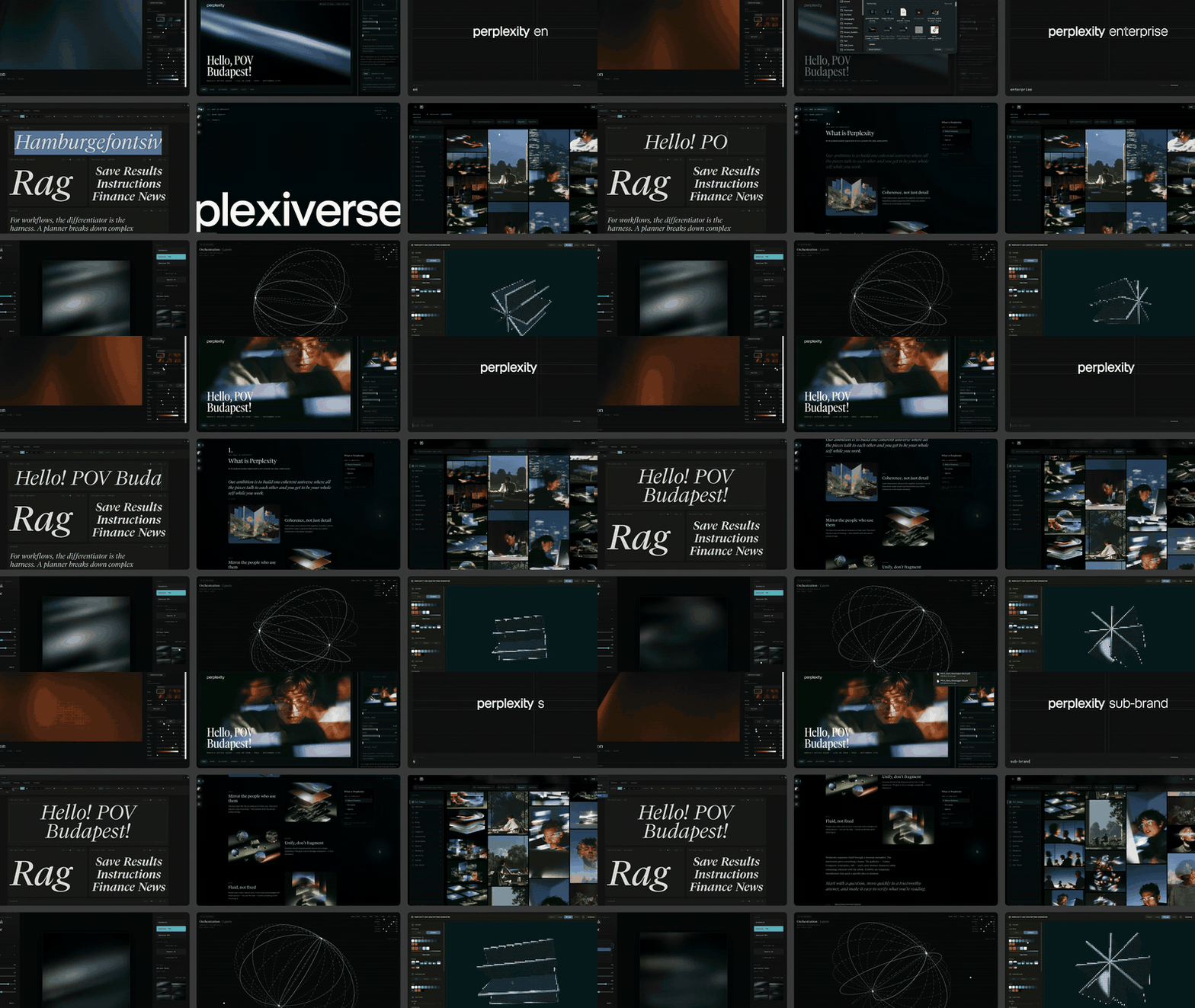
During its 2026 identity refresh, Perplexity's in-house design team used Computer, Perplexity's own AI agent, to build three internal design tools: a type specimen that set every new round of its custom Grilli Type family in real layouts, an image gallery for comparing related images side by side, and a layout tool with the brand's type and spacing rules built in. The agent handled speed, producing type pairings, ten layout variations and a working prototype in minutes rather than days. It couldn't judge quality. Choosing between options that all followed the rules stayed with the designers.
And Lee was blunt about that split, which I love. "Computer got the speed right," she said. "What it cannot tell you is whether any of them are good." Choosing between them "required taste, craft and instinct, and that part stayed with us."
Write that on a Post-it and stick it on the monitor of the next person who tells you AI is coming for your job.
Every one of those tools, Lee said, started with somebody on the team being curious about a frustration they kept bumping into. No roadmap. No "AI transformation programme" with a steering committee and a logo. Just a designer annoyed enough to fix something.
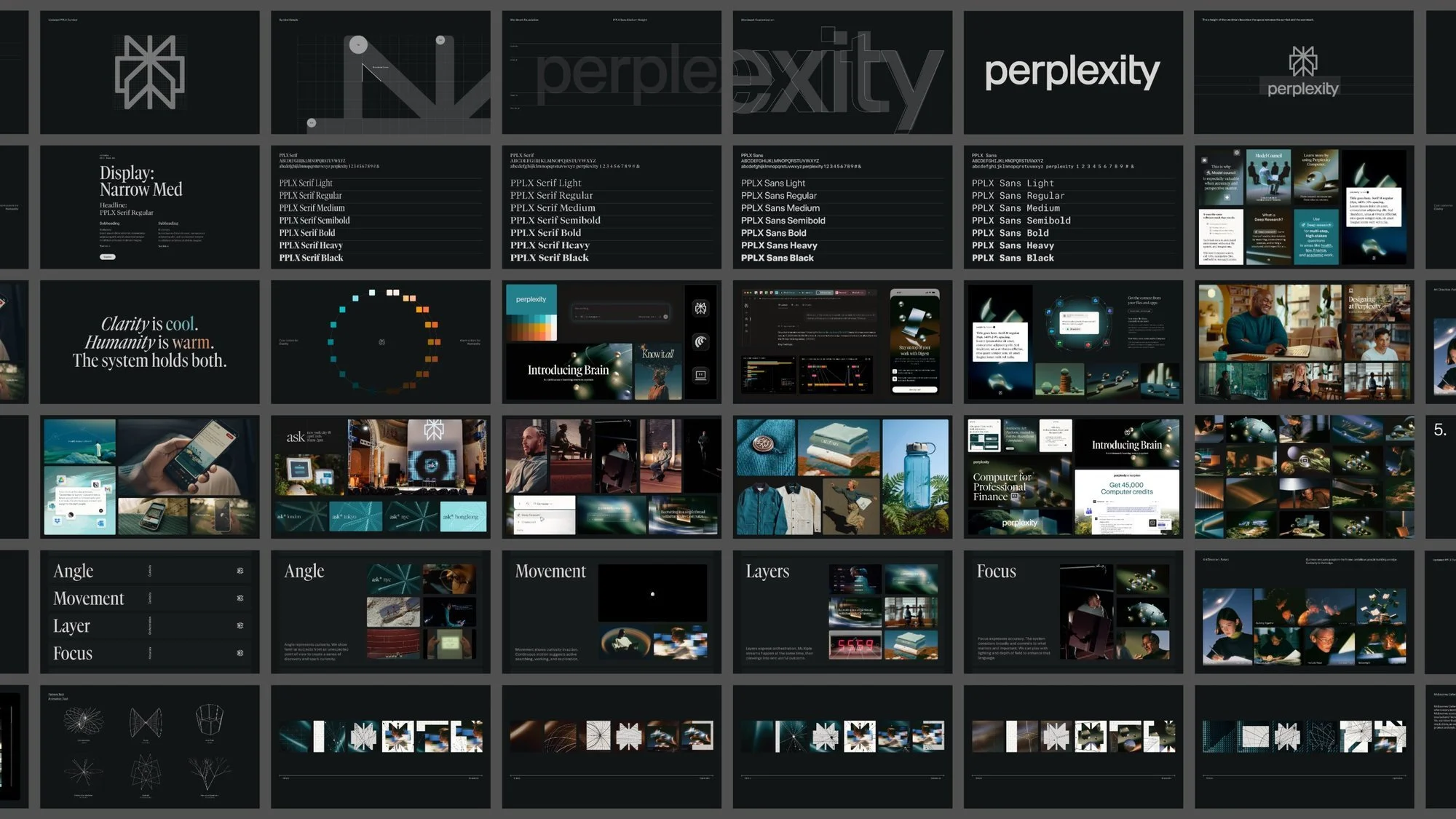
The new type system is worth a nerd-out too: PPLX Serif for the voice of the answers, PPLX Sans for interface, PPLX Mono for code, and a Narrow Serif for the loud marketing moments. Because the specimen tool existed while Grilli was still drawing the family, the feedback got specific. Goodbye "the serif feels a bit off?", hello this glyph, at this size, in this setting.
That's a better type review process than most studios run, and it started as one designer's itch.
The rules survive. The reasoning doesn't
Here's what Lee's line gets right. Judgement doesn't copy and paste from one person to another. Guidelines try anyway, by squashing everything a designer knows into rules. The rules survive the trip. The reasoning gets lost in the post.
So the client gets "minimum clear space: 2x the height of the symbol" and never finds out why. Or when breaking it would be fine. Or what you'd do on a 40-pixel favicon where the rule falls over. The ranges and the exceptions, the stuff that makes an identity feel alive, stay in your head and leave the building with you.
And the data is grim. In a 2021 Lucidpress survey of 452 professionals, reported by MarketingProfs, only 30 per cent said their brand guidelines were known and used across most of the organisation. Thirteen per cent said theirs were unused or couldn't even be found. And 77 per cent said off-brand content gets made at least a few times a year.
Seventy-seven per cent. At this point off-brand is basically a house style.
Now for the funny version. The most beloved guidelines document in design history is NASA's 1975 Graphics Standards Manual for the Worm, by Danne & Blackburn. A masterpiece. NASA binned the Worm in 1992 anyway. Then in 2015 the manual came back as a Kickstarter reissue, and designers bought it by the thousands. To put on their coffee tables. Next to the candle.
Our industry's greatest guidelines document is home decor. That's the PDF problem in one object.
Lee's alternative is tools that carry the reasoning, the ranges and the exceptions, available everywhere at once. And her reading of POV Budapest's theme, The Act, is the line I'd pin above every studio desk:
"An identity is defined as much by what other people can make with it as by what we make ourselves."
Think about who makes most of the stuff carrying your identity. It's not you. It's the sales team's decks, the social coordinator's carousels, the founder's LinkedIn banner that's somehow still in the old colours. Perplexity's answer was to build tools so the on-brand option is also the easy one. Not a stricter rulebook. A shorter path.
Karl Gerstner called it sixty years ago
Before anyone writes the "AI changes everything" LinkedIn post: none of this is new. Which is the most reassuring part.
In 1964 the Swiss designer Karl Gerstner published Designing Programmes, a short, strange, brilliant little book about designing systems that generate solutions, instead of designing every solution by hand. His line on it reads like a brief someone wrote last week:
"Instead of solutions for problems, programmes for solutions."
Gerstner was doing this at the dawn of the computer era, with grids and logic standing in for software. A decade later Muriel Cooper co-founded the Visible Language Workshop at MIT and spent the next twenty years dragging computers into designers' hands. Talking to Steven Heller in 1989, she said she'd been "convinced that the line between reproduction tools and design would blur when information became electronic," and that "the lines between designer and artists, author and designer, professional and amateur would also dissolve." So the idea's sixty years old. What changed is who gets to build it. Gerstner needed a grid and a frankly terrifying amount of discipline. Cooper needed MIT. Perplexity needed its own AI agent and engineers down the hall.
You need a text editor and an afternoon. I know, because I've done it.
My opinions, plus a checklist that never gets tired
Every AI Branding Masterclass cohort, I review every single strategy deck and every set of visual territories. Personally. I read every slide, I form my opinion, and I write my feedback. Gut first, always. That part isn't going anywhere, and nobody's paying for the course to be marked by a robot.
But here's the thing about reviewing deck eleven at 10pm. Your taste is still sharp. Your attention to detail? Not so much. It's very easy to get so excited about a brilliant positioning line that you forget to notice the deck never defined its audience.
So I built a safety net. It's a Claude skill, and its job is boring on purpose. Once I've given my take, it checks the deck against the course's learning requirements: the nine things every strategy deck has to cover, from brief interpretation and white space through to tone of voice and naming, plus twelve checks for depth and rigour. If there's something I've missed, it flags it. That's it. No opinions. Just the clipboard.
It also knows the exceptions, which is the bit a PDF would have flattened. In the visual territory version, found references are fine at that stage of the course, because students are building blueprints, not finished work. A dumb checklist would mark them down. This one knows better, because I told it why.
Which is where I'd push back on Lee, a little. She says tools like Computer give her team "a better way to pass judgment." I don't think judgement travels, in a PDF or in software. What travels is the standard: the checks, the ranges, the exceptions and the reasons behind them. Judgement is what happens when a person holds the work up against that standard and decides. My skill doesn't have taste. It has my standards, and it makes sure a student in January gets the same ones as a student in September, whether I'm on my first coffee or my fourth.
There's no code in it. It's a handful of markdown files. Writing it took an afternoon. Being honest about what my course is supposed to teach, line by line, took a lot longer.
The taste is mine. The checklist doesn't get tired.
Engineers down the hall vs a Figma licence and a group chat
Now the uncomfortable bit for small studios and freelancers.
Perplexity has engineers sitting next to its designers, acting as the identity's toughest critics, and an agent it built itself. Most of us have a Figma licence, a group chat and a cat who sits on the keyboard during client calls.
The gap shows up in the AI in Design 2026 report from Designer Fund and Foundation Capital. At companies with 2,000-plus employees, 74 per cent of designers use internally built AI tools. At companies of one to 50 people, it's 26 per cent.
So the big in-house teams are quietly building their own tools, and the small studios mostly aren't. Yet.
But I'm a designer, not a developer.
Same. But the barrier was never code. The same report found 76 per cent of designers have already used an AI coding tool like Claude Code or Cursor. The tools to build a tool are sitting in your browser tab, next to the 40 other tabs. If you can brief it like a junior, you can get a working prototype.
What the 26 per cent are missing is the bit before the build: noticing the thing you've quietly put up with for years and deciding it's worth fixing. That's a design skill. You've had it since your first crit.
No shade, but let's be clear-eyed about one thing. The same report found designers' use of Perplexity itself fell from 34 per cent to 13 per cent in a year. So yes, a conference talk about how great it is to design with Computer is also, technically, an ad for Computer. Fine. Everyone's got bills. The most useful line in it is the vendor admitting where its own tool stops. More of that energy, please, tech industry.
Four tools to steal from Perplexity's shopping list
You don't need Perplexity's stack. Steal its shopping list. (And it's a long list. Perplexity's own guide to how its teams use Computer adds a brand pattern generator to the pile. The design team is clearly not short of itches.)
1. The live specimen. Your typeface, set in real layouts, updating as the type changes. Ideal for custom or modified type, and for showing a client why the display weight falls over at small sizes before they find out on a bus shelter.
2. The image test. Perplexity named four recurring behaviours in its imagery (focus, layers, movement and angle) so any new image can be checked against them. Write your brand's three to five image behaviours in plain words, then turn them into a checklist a tool can run against every new photo, render or AI image. This is the one that stops AI slop sneaking into a brand one stock image at a time.
3. The guardrailed template. The deck or social layout where the type scale, spacing and colour rules are baked in, so the non-designer physically can't stretch the logo. The on-brand option has to be the lazy option. People will always take the lazy option. Design for it.
4. The checklist that never gets tired. Like mine: the standards you hold work to, with the reasoning and exceptions written in, for an AI to check against after you've done the thinking. Start with the review you do most often and dread most. Pair it with a shared brief library and your studio's standards stop depending on who opened the laptop that morning.
How to start, no roadmap required: pick the frustration you've tolerated longest. Write down how you'd judge it, exceptions included. Build the smallest possible version in Claude, Figma Make or whatever's to hand. Then give it to a non-designer and watch them use it. That's your user test. It will be humbling. That's the point.
One warning. Figma wants to do everything, and so does every other platform. Build the tool around your judgement, not around one vendor's feature list, so it survives the next great platform shuffle.
Then, darling, change the invoice
Lee's pitch to studios is that the handover could include working software alongside the guidelines, so the identity keeps behaving after the engagement ends.
Lovely idea. Now think about what it does to the job.
If the handover includes a tool, you're not delivering a document anymore. You're delivering something that runs. Which means three conversations most identity proposals haven't had yet.
Scope. Software needs maintenance. Who updates the layout tool when the client launches a sub-brand in March? That's a retainer, not a favour you do at 9pm.
Ownership. Who owns the tool, the logic inside it and the instructions it runs on? If you haven't got an AI clause in your contract, this is your moment. License the tool. Keep the method.
Value. A PDF gets priced like a deliverable. A tool that stops off-brand work being made at all can be priced on what it prevents. If you're already trying to measure what the identity does, this is your evidence.
The studios that crack this first won't be the ones with the fanciest AI. They'll be the ones who noticed their best thinking was dying in a PDF and gave it somewhere better to live.
The bit nobody can download
Give two designers identical tools and they'll build completely different ones, because they get annoyed by different things and hold work to different standards. That's the part no agent can copy. Your tools end up as a record of what you care about, and the taste that decided what to care about stays with you. Which is the whole argument for why AI moved the ceiling, not the floor.
Perplexity's team closed Budapest hoping every designer in the room would go home and fix the problem they've quietly worked around for years. Good advice. I'd add one condition: build it so the tool does the checking and you keep the deciding.
So go on. What's yours?
If you want to learn this inside a real brand project, with a cohort building alongside you, that's the AI Branding Masterclass. The next cohort starts 13 January 2027, and early-bird pricing closes 13 November. And if you run a studio and want your team's standards turned into tools people will use, that's what The Cyborg Studio is for.
Stop handing over the rules. Hand over the standards, and keep the taste.
Questions designers and studios ask about this
How does Perplexity's design team use AI? During its 2026 identity refresh, Perplexity's design team used Computer, Perplexity's own AI agent, to build three internal tools: a live type specimen, an image comparison gallery and a layout tool with the brand's type and spacing rules built in. The AI produced options and prototypes in minutes. Designers kept the job of judging which options were good.
Are brand guidelines PDFs dead? Not yet, but their limits are showing. A PDF turns a designer's judgement into fixed rules and loses the reasoning, ranges and exceptions behind them. A Lucidpress survey found only 30 per cent of businesses say their guidelines are known and used across most of the organisation. More studios are now pairing guidelines with working tools, templates and AI instructions that carry the brand's logic.
Can graphic designers build their own AI tools without coding? Yes. Many useful design tools are written instructions rather than software, such as a Claude skill or project instructions that capture how you judge work. For interactive tools like a type specimen or layout generator, AI coding tools such as Claude Code, Cursor or Figma Make can build a working prototype from a clear brief. The skill that matters most is knowing what problem is worth solving.
What's the first design tool a studio should build? Start with the frustration you've tolerated longest. Good first builds are a live type specimen, an image checklist based on your brand's visual behaviours, a guardrailed template for non-designers, or a written judgement file for an AI assistant. Build the smallest working version, then test it with a non-designer.
How should designers hand over a brand identity in 2026? Hand over the guidelines plus tools that let other people make on-brand work easily: guardrailed templates, image checklists, AI instructions and, where it makes sense, small working apps. Agree in the contract who owns and maintains those tools, and treat ongoing updates as a retainer rather than a favour.
What does Perplexity's new typeface system include? Perplexity worked with Grilli Type on a custom family: PPLX Serif for the voice of its answers, PPLX Sans for interface, PPLX Mono for code and a Narrow Serif for loud marketing moments. It replaced a system that paired Instrument Serif with FK Grotesk.
Sources
The Brand Identity, "Take five with POV Budapest: how Perplexity designs using Perplexity", 8 Oct 2026: https://the-brandidentity.com/interview/take-five-with-pov-budapest-how-perplexity-designs-using-perplexity
Lucidpress Brand Consistency report (452 professionals, 2021), via MarketingProfs: https://www.marketingprofs.com/charts/2021/45661/are-businesses-creating-and-using-brand-guidelines
AI in Design 2026 report (Designer Fund and Foundation Capital), Tools chapter: https://stateofaidesign.com/chapters/tools
Karl Gerstner, Designing Programmes (1964), Lars Müller Publishers: https://www.lars-mueller-publishers.com/designing-programmes
AIGA Eye on Design, "Muriel Cooper's visions of a future": https://eyeondesign.aiga.org/muriel-coopers-visions-of-a-future/
NASA Graphics Standards Manual reissue, Creative Review: https://www.creativereview.co.uk/nasa-graphics-standards-manual-reissue-now-available-to-buy/
POV Budapest 2026 dates and venue (16 to 20 Sept, National Dance Theatre): https://www.maxon.net/en/event/pov-budapest-2026