
By Ant Wood, founder of House of gAi and former CEO of Shillington. Published 11 November 2026.
Adobe MAX 2026 opened in Miami Beach on 10 November with one big idea. Soon, your own AI agent (Claude, ChatGPT or Gemini) will be able to work directly inside your Photoshop, Illustrator, Premiere and After Effects files, with layers and vectors still editable. Adobe also launched Firefly Design in beta, added AI Assistants to Illustrator and InDesign, and put Convert to Text Layers into the Photoshop beta. Some of it you can test today. The bit everyone's talking about lands in early 2027.
In short
Adobe's local MCP integrations let outside agents work inside native PSD, AI, Premiere and After Effects files. Private beta in early 2027. InDesign isn't included.
Firefly Design (beta) is the most useful new tool for brand designers. It's one canvas for vector, raster, motion, 3D and print, with brand kits and client review.
You can test Convert to Text Layers, Generative Recompose, the Illustrator and InDesign AI Assistants and InDesign co-editing this week.
Partner models inside Firefly come with their own usage terms. Check them before client work.
That's the summary. Here's the bit Adobe didn't put in the press release.
I've all but stopped opening Adobe for rollout work. Initial concepts, sure. But layouts, edits, resizes, even video cut-downs? Claude has quietly eaten most of that. When I tested Adobe's AI integrations earlier this year, they felt like they'd been designed for someone's client, not someone's designer.
So this year's MAX keynote landed differently. For the first time, Adobe seemed to agree with me.
What did Adobe announce at MAX 2026?
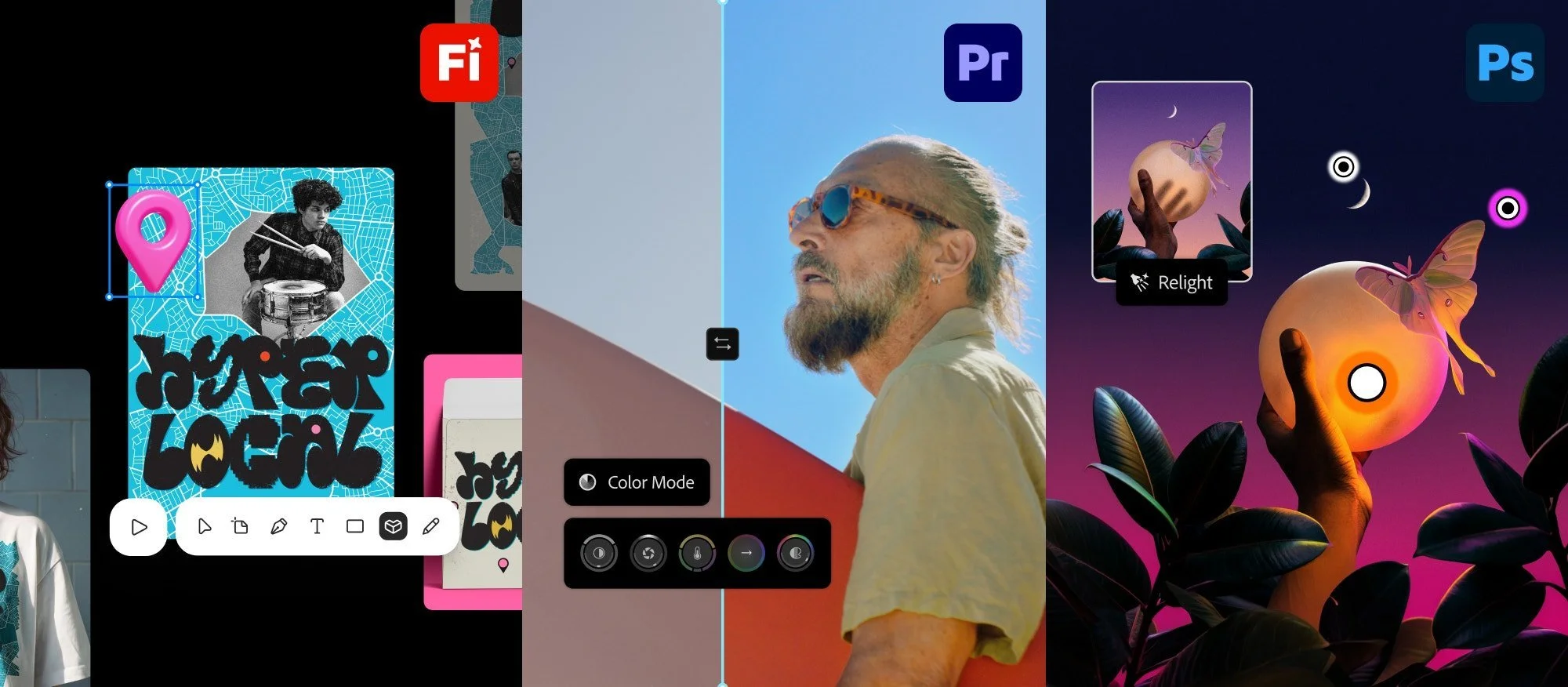
Firefly Design, Premiere's Color Mode and Photoshop's Relight, three of the MAX 2026 headliners. Image: Adobe
These are the announcements that matter to graphic and brand designers, from Adobe's MAX 2026 newsroom and feature round-up:
Local MCP integrations (preview). Third-party agents like Claude and ChatGPT work inside your native Photoshop, Illustrator, Premiere and After Effects files on your own machine. Layers, vectors, bins and sequences stay editable. Private beta early 2027.
Firefly Design (beta). One canvas for vector, raster, motion, 3D and print, with client review built in. Adobe says it can auto-extract a brand kit and set an agent to enforce brand rules across every artboard.
AI Assistant (beta) in Illustrator, InDesign, Premiere, After Effects and Frame.io, plus the Photoshop beta app. You describe a multi-step task, review the plan, then let it run.
Photoshop beta app: Convert to Text Layers (rebuilds type from a flattened image as live, editable text), Mockups, Generative Recompose, Camera Angles and Remove Ambient Effect Only.
Photoshop: Relight, Generative Restyle with an intensity slider, Quick Compare, and a Remove tool that now takes the shadow with the object.
Illustrator: refreshed content libraries (brushes, patterns, gradients, graphic styles) and on-canvas Blend controls with live preview.
InDesign: real-time co-editing (public beta), Flex Layout for text frames, and Check Document for editorial and accessibility issues.
Firefly Graph (beta) for repeatable node-based workflows, and Firefly Builder (private beta, waitlist), which turns prompts into clickable, on-brand website and app prototypes.
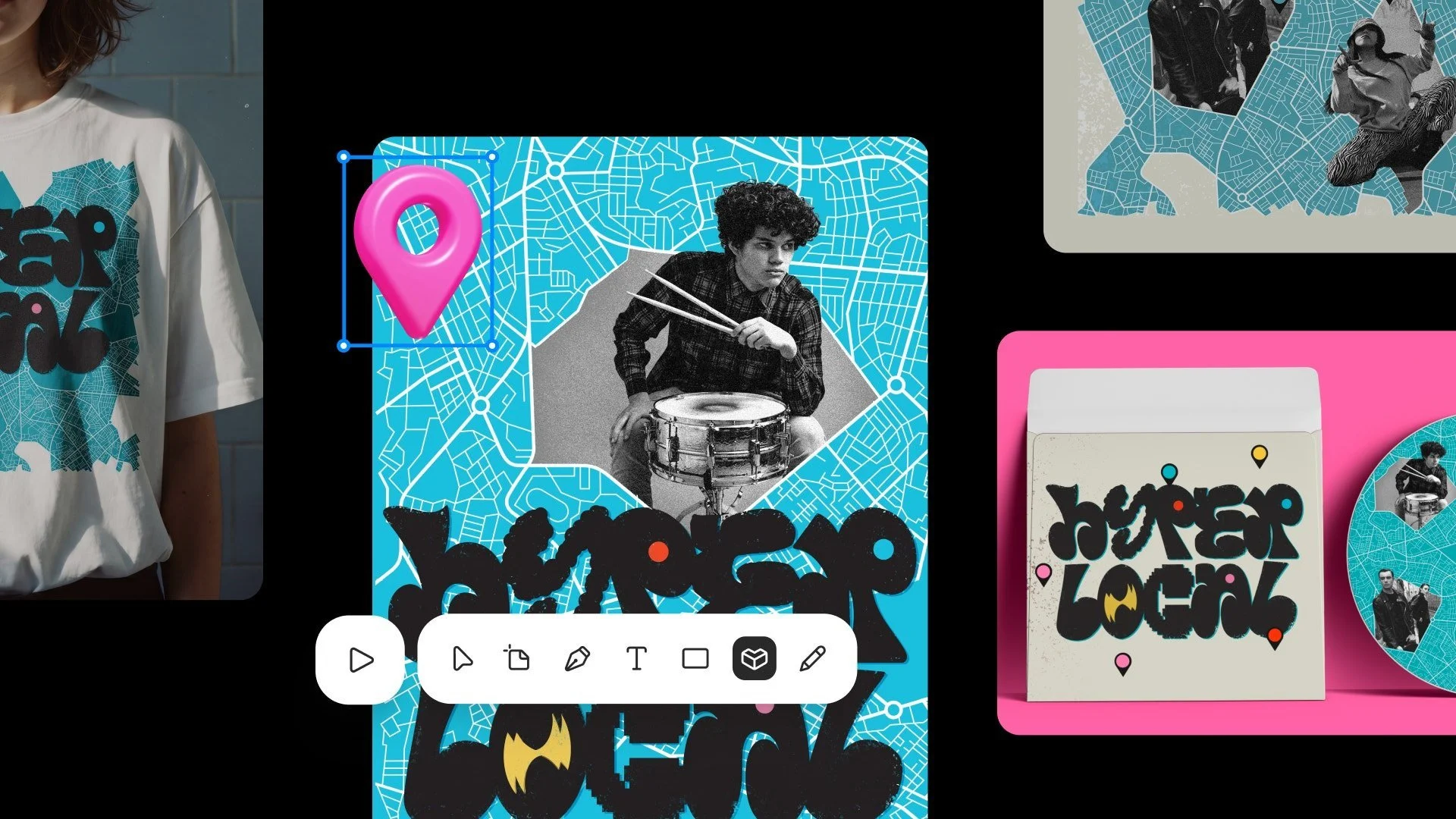
Firefly Design puts vector, raster, 3D and print on one canvas. Image: Adobe
There's more for photographers and editors. Premiere Color Mode is out now, Lightroom gets Glow and Open Eyes, and Topaz Labs (which Adobe finished buying in September) brings Wonder 4 and Image HDR. But that list is your world.
What can you use today, and what's still a demo?
About half of it is usable now, and the most talked-about feature isn't. Here's the split as of 11 November 2026:
| Feature | Status | Can you test it this week? |
|---|---|---|
| Firefly Design | Beta, open to all users | Yes |
| Photoshop: Convert to Text Layers, Mockups, Generative Recompose | Beta, in the Photoshop beta app | Yes |
| AI Assistant in Illustrator and InDesign | Beta | Yes |
| InDesign co-editing | Public beta | Yes |
| Firefly Edit Text, Relight, Quick Actions | Generally available | Yes |
| Firefly Graph | Beta, Firefly Pro Plus plan | Yes, if you're on that plan |
| Local MCP for Photoshop, Illustrator, Premiere, After Effects | Preview | No. Private beta early 2027 |
| Firefly Builder | Private beta | Waitlist only |
| Brand Intelligence with Intelligent Reflow | Announced, no date | No |
| Always-on agents | Preview | No |
Why Adobe's MCP news is a confession
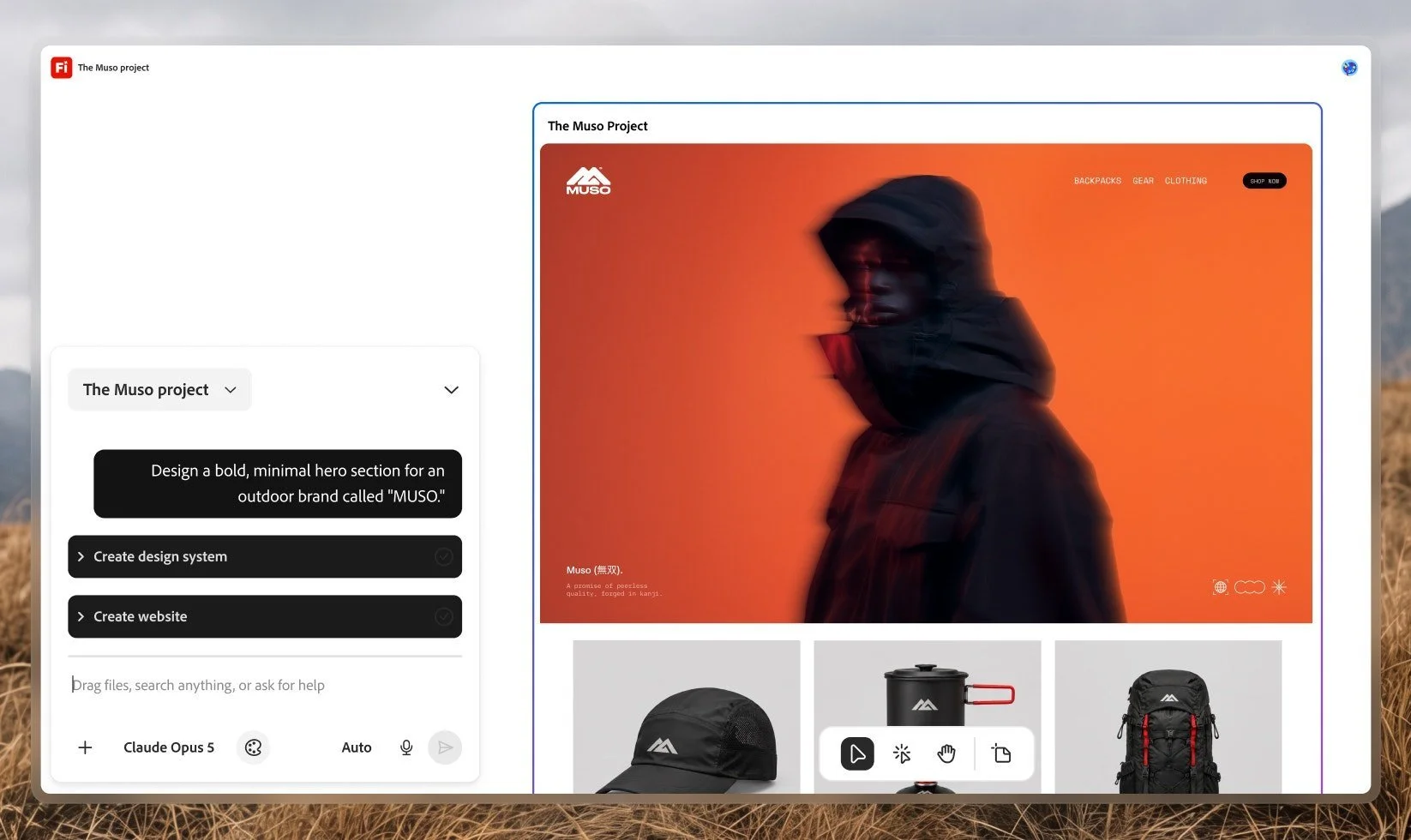
Look at the model picker. In Adobe's own Firefly Builder screenshot, the brain is Claude Opus 5. Image: Adobe
Translated from keynote, here's what Adobe announced: the brain can live somewhere else, as long as the hands are Adobe's.
For three years Adobe tried to be the whole studio. Firefly would generate, the Assistant would direct, and you'd never leave Creative Cloud. Then designers did leave. Not to Canva, the way the discourse kept promising. To a chat window.
MCP (Model Context Protocol) is the open standard that lets an AI agent plug into other software and use its tools. Adobe's local MCP integrations give your agent of choice a set of endpoints into Photoshop, Illustrator, Premiere and After Effects. It runs on your machine and works on the same file you'd open yourself. Adobe vice president Deepa Subramaniam told Creative Boom: "Layers, vectors, bins, sequences, compositions all stay editable, so you can step in at any moment to refine the work."
And when TechCrunch asked how much of the apps the MCP would expose, she said: "We don't have any need or desire to sort of limit what the MCP endpoint can expose."
That's a remarkable sentence from the company that's been making you rent its software since it killed the boxed Creative Suite in 2013.
Fast Company's Jesus Diaz framed the bet perfectly: it's either "a masterclass in platform strategy or the beginning of Creative Cloud as someone else's commodity front-end." I think it's both, depending on which side of the file you're sitting on.
Why the last integration felt built for your client's nephew
To be fair to my own grumpiness, there's a paper trail.
In December 2025, Photoshop arrived inside ChatGPT, and it wasn't for designers. In April 2026, Adobe launched its Adobe for creativity connector for Claude, promising "50+ pro-grade tools" across Photoshop, Illustrator, InDesign and more. I wrote about how those eleven days redrew the design stack. Then I used it, and the shine came off.
I wasn't alone. When MindStudio tested the Claude connector in May, a simple 9:16 reframe took 3 minutes 14 seconds and the subject still wasn't centred. Their verdict was that it works at Express level, not Photoshop level. You dropped a file into a chat, Adobe processed it in the cloud, and you got a result back. No layers. No vectors. Nothing a designer would hand to a printer.
Then in June, Adobe put an AI Assistant inside Photoshop and Illustrator, and I called it an intern, not an art director. Polite, eager, and slightly afraid of your layer panel.
As for Adobe's track record with useful AI: it keeps building AI for the people who commission design, then wondering why designers don't move in.
Is it too late for Adobe?
No. But the fight has moved, and Adobe has finally noticed where it went.
The case against is real. Investors have been brutal: TechTarget reported in April that Adobe's market value had fallen nearly 60% since December 2024. Claude Design is coming for the early-concept end of the job, which, as I argued when it launched, was never the part worth protecting. And in October, developer Brandon Thomas used Claude to build free, no-subscription clones of Adobe apps (he calls them clean-room), starting with a Photoshop lookalike called Photocraft. Engadget's reviewer found it handles basic edits, with bugs and no PSD support. For now it's a tribute act. Great energy, wrong file format.
The case for Adobe is boring, which is why it's strong. Your clients' printers want PDF/X files. Your agency's archive is fifteen years of .ai and .indd. Your brand guidelines live in a CC Library. None of that moves because a chatbot got good at layout.
That's the moat, and it's made of file formats. MAX 2026 is Adobe finally pricing it that way.
What Adobe still hasn't solved is where the good stuff lives. The most impressive brand work at MAX happened in Firefly Design and in an MCP demo where ChatGPT spun out editable poster variations for different cities and sizes inside Photoshop. The closest thing coming to InDesign is Brand Intelligence with Intelligent Reflow, which Adobe says is "coming to" Photoshop, Illustrator and InDesign, with no date. So the feature that would make a working layout designer gasp isn't in the app working layout designers open every morning.
Brilliant. Another app to learn.
What can graphic designers test this week?
Enough opinion. Here's a test kit you can run before Friday. Each test takes under an hour, uses real work, and has a clear pass or fail. If Adobe's going to win you back, this is where it has to happen.
1. Convert to Text Layers (Photoshop beta)
Find the worst file in your archive: a flattened JPEG of an old poster where the client lost the source. Run Convert to Text Layers. In Adobe's demos it matched the type against Adobe Fonts and rebuilt it as live text.
Pass if: the typeface is right (or a defensible near-match), tracking and leading survive, and you can edit the copy without the layout collapsing. Fail if: you spend longer fixing it than you would retyping it.
2. Firefly Design with your real brand guidelines
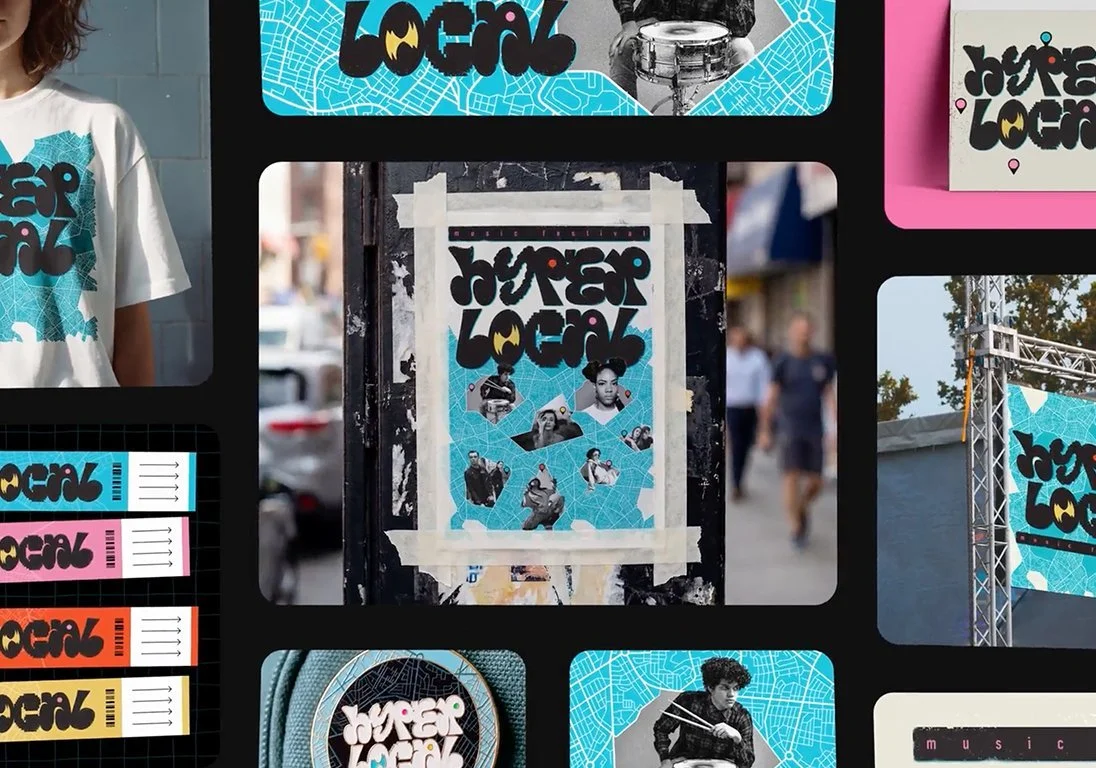
Adobe's demo brand, rolled out across every touchpoint. Your test: can it do this with your guidelines? Image: Adobe
Open the beta at firefly.adobe.com/design. Drop in a real guidelines PDF (yours, or a client's you're allowed to use). Adobe's own page says it'll draft artboards with "style, colors, and typography already applied" and can auto-extract a brand kit.
Then ask for five formats: Instagram post, story, LinkedIn banner, A4 poster, email header. Export the poster as a print PDF and the logo lockup as an SVG, then open both in Illustrator.
Pass if: colours are exact (check the hex values, not your eyeballs), the fonts are live, and the SVG paths are clean enough to hand to a developer. Fail if: it's on-brand the way a Halloween costume is on-brand. If you've been turning your guidelines into tools rather than PDFs, this test tells you whether Adobe can read them.
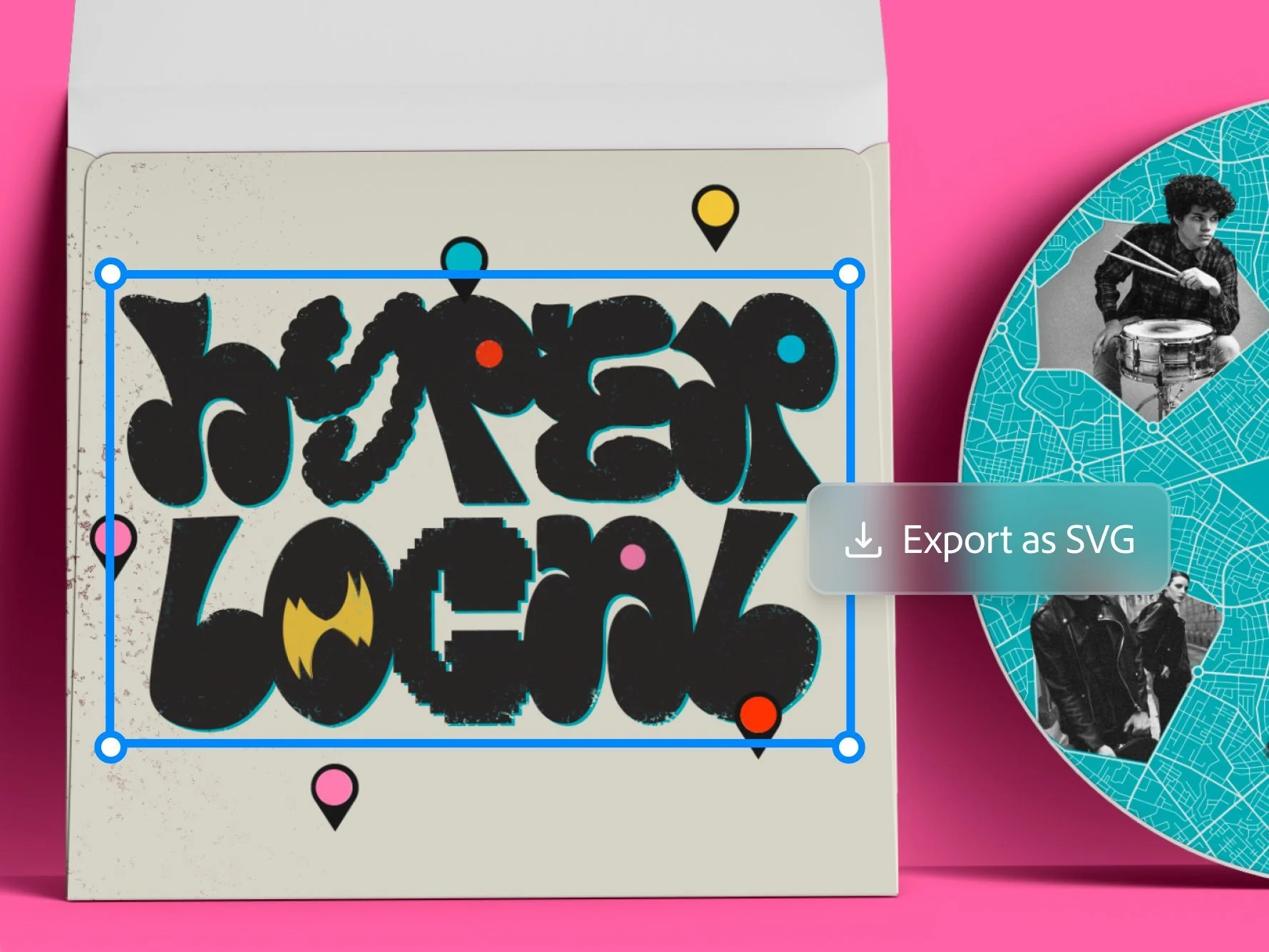
The real test: open that SVG in Illustrator and check the paths. Image: Adobe
3. The Illustrator AI Assistant on a boring job
Don't ask it to design anything. Give it the job you'd give a junior on a Friday afternoon: rename every layer in a logo suite, recolour a 40-icon set to a new palette, apply one gradient to every stroke in a file.
Pass if: it shows you a plan you can edit, the layers survive, and one undo takes you back. Fail if: it flattens anything. Nobody needs another AI that can draw. One that can tidy? Take my money.
4. Generative Recompose vs the 3-minute reframe
Remember the 9:16 reframe that took over three minutes through the Claude connector in MindStudio's test? Run the same job in the Photoshop beta with Generative Recompose. Take a 4:5 key visual to 9:16 and to 16:9.
Pass if: the subject sits where an art director would put it, rather than where a crop algorithm would. Time it. That number is your answer to "is Adobe AI useful yet?"
5. InDesign co-editing and Check Document
Open a real multi-page doc with a colleague and co-edit it live (public beta). Run Check Document before you package.
Pass if: you catch something you'd have missed at proof stage. Accessibility flags count double. Nobody ever lost a client over an alt-text check.
6. The lecture-deck rebuild (InDesign)
This one's mine. This week Claude rebuilt my House of gAi lecture slides as a Google Doc, in one go. The obvious next question: could Adobe's new MCP do the same thing as a proper InDesign file?
Not yet. The MCP preview covers Photoshop, Illustrator, Premiere and After Effects, and InDesign isn't on the list. So run the job three ways and compare:
InDesign's AI Assistant (beta). Paste in your slide content and ask for a 16:9 deck on your own master pages.
The Adobe connector in Claude. Adobe lists InDesign as a supported app, so ask Claude to build it there.
Claude writing the file itself. InDesign has always been scriptable, and IDML (InDesign's XML-based file format) is just structured text. Ask Claude to write an InDesign script, or generate an IDML file, that builds the deck with real text frames, paragraph styles and masters. Then open it like any other InDesign document.
Pass if: it uses master pages, applies paragraph styles instead of local overrides, keeps text live and threaded, and links images instead of embedding them. That's the difference between a file a studio can work in and a nice-looking PDF. If you've been briefing Claude like a junior rather than prompting it, option three is where that habit pays off.
7. Sign up for the MCP beta
It's the announcement that changes how you work, and it's not here yet. Adobe linked an expression-of-interest form from its MAX feature round-up. Get on the list now, so you're testing it in early 2027 rather than reading about it.
If you've already built repeatable node workflows in Weavy or Figma Weave, give Firefly Graph a side-by-side too. It's listed on the Firefly Pro Plus plan rather than Pro, and generative nodes burn credits.
Is Firefly still safe for client work? Read the menu first
Firefly built its reputation on being commercially safe: trained on licensed content, fine for client work. The new Firefly is a model buffet. Google, OpenAI, Kling, ByteDance, Runway, ElevenLabs and Topaz all sit next to Adobe's own models, with a Model Selector and an Auto-Select option.
Adobe's own Firefly Design FAQ says it plainly: "Partner models may have different usage terms."
So the moment Auto-Select picks a partner model for a client job, the commercially-safe story you've been telling clients gets a footnote. Use the tools anyway. Know which model made what, and have an AI clause in your contract that says so.
Also worth knowing: according to Fast Company, After Effects started charging generative credits for its AI Assistant on 6 November. Agents that run in the background are agents that bill in the background.
Taste was always the scarce bit
Last year I said Adobe MAX was fireworks and your clients don't pay for fireworks. This year there were fewer fireworks and more plumbing, and the plumbing is the interesting part.
Because if Adobe's right, the next few years look like this. The brain is whichever model you like this month. The hands are Adobe's file formats. And the designer is the one who decides what good looks like. Your agent can open the PSD. It still can't tell you the kerning on the lockup is off, or that the client will hate the green.
As Code and Theory CEO Dan Gardner told TechTarget when Claude Design launched: "Taste matters."
The agent gets the file. You keep the eye.
If you want to get properly good at directing agents on brand work (briefing them, building brand guidelines they can follow, and knowing when to take the file back), that's what we teach in the AI Branding Masterclass. The January 2027 cohort runs 13 January to 24 March, and the early bird closes 13 November.
Frequently asked questions
What was announced at Adobe MAX 2026?
Adobe previewed local MCP integrations that let third-party agents such as Claude, ChatGPT and Gemini work inside native Photoshop, Illustrator, Premiere and After Effects files. It also launched Firefly Design in beta, AI Assistants in Illustrator, InDesign, Premiere, After Effects and Frame.io, new Photoshop beta features including Convert to Text Layers, and Premiere Color Mode.
When can designers use Adobe's MCP integration with Claude or ChatGPT?
Not yet. Adobe is previewing the local MCP integrations now, with a private beta for Creative Cloud customers due in early 2027. You can register interest through Adobe's sign-up form.
Does Adobe's MCP work with InDesign?
Not in the version Adobe announced. The local MCP preview covers Photoshop, Illustrator, Premiere and After Effects. InDesign gets an AI Assistant (beta), real-time co-editing (public beta), Flex Layout and Check Document. Adobe says Brand Intelligence with Intelligent Reflow is coming to InDesign, but hasn't given a date.
What is Firefly Design?
Firefly Design is a new Adobe app in beta that combines vector, raster, motion, 3D and print on one canvas, with client review and export built in. Adobe says it can extract a brand kit from your guidelines and use an agent to keep artboards on brand. It's open to all users during the beta at firefly.adobe.com/design, with tiered access once it reaches general availability.
What does Convert to Text Layers do in Photoshop?
Convert to Text Layers, in the Photoshop beta app, detects type in a flattened image and rebuilds it as an editable text layer, matching it against Adobe Fonts. It's useful for recovering old artwork where the source file is lost.
Is Adobe's AI Assistant available in Illustrator and InDesign?
Yes, in beta. The AI Assistant, powered by Adobe Creative Agent, is in Illustrator, InDesign, Premiere, After Effects and Frame.io, and in the Photoshop beta app. It runs multi-step tasks from plain-language instructions, and you can review its plan before it acts.
Can I generate alternate layouts in InDesign with AI?
Not in the way MAX demos suggested. InDesign gained Flex Layout for text frames, Check Document and co-editing. Adobe Brand Intelligence with Intelligent Reflow, which adapts designs to new sizes, is coming to Photoshop, Illustrator and InDesign with no date announced.
Is Adobe Firefly still commercially safe if I use partner models?
Adobe positions its own Firefly models as commercially safe, but it states that partner models "may have different usage terms". If you use Google, OpenAI, Kling, ByteDance or other partner models inside Firefly, check those terms before using outputs in client work.
Is it too late for Adobe to compete with Claude and Figma?
Not too late, but the competition has shifted. Adobe's advantage is its file formats and production tools rather than its AI. MAX 2026 shows Adobe accepting that the agent may come from elsewhere, and positioning Creative Cloud as the place professional files get made and finished.