
Ask a room of designers how they use AI and you'll hear the same answers. MidJourney. Whatever image model is having its moment (hi, Nano Banana). Maybe Photoshop's generative fill if they're feeling fancy. All image tools, all about the picture at the end.
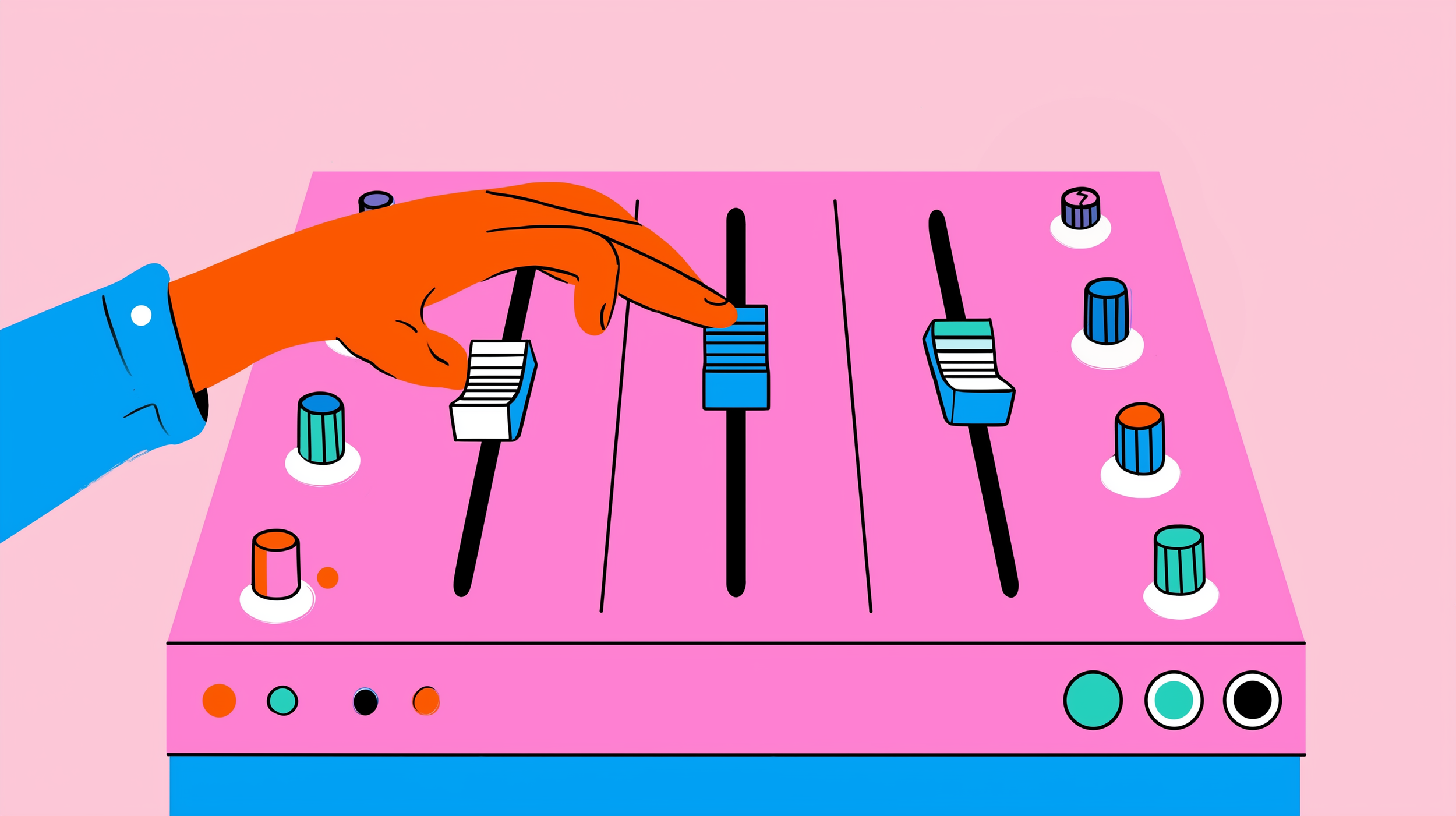
The tool most likely to change how you actually work isn't an image generator. It's the large language model you've been treating like a cleverer Google. Claude, Anthropic's LLM, can run your brief interrogation, your naming rounds, your strategy pressure-tests and the rationale slides nobody wants to write. And if it's underwhelmed you so far, it usually isn't the model. It's that you've been driving a three-dial mixing desk with one hand on a single fader.
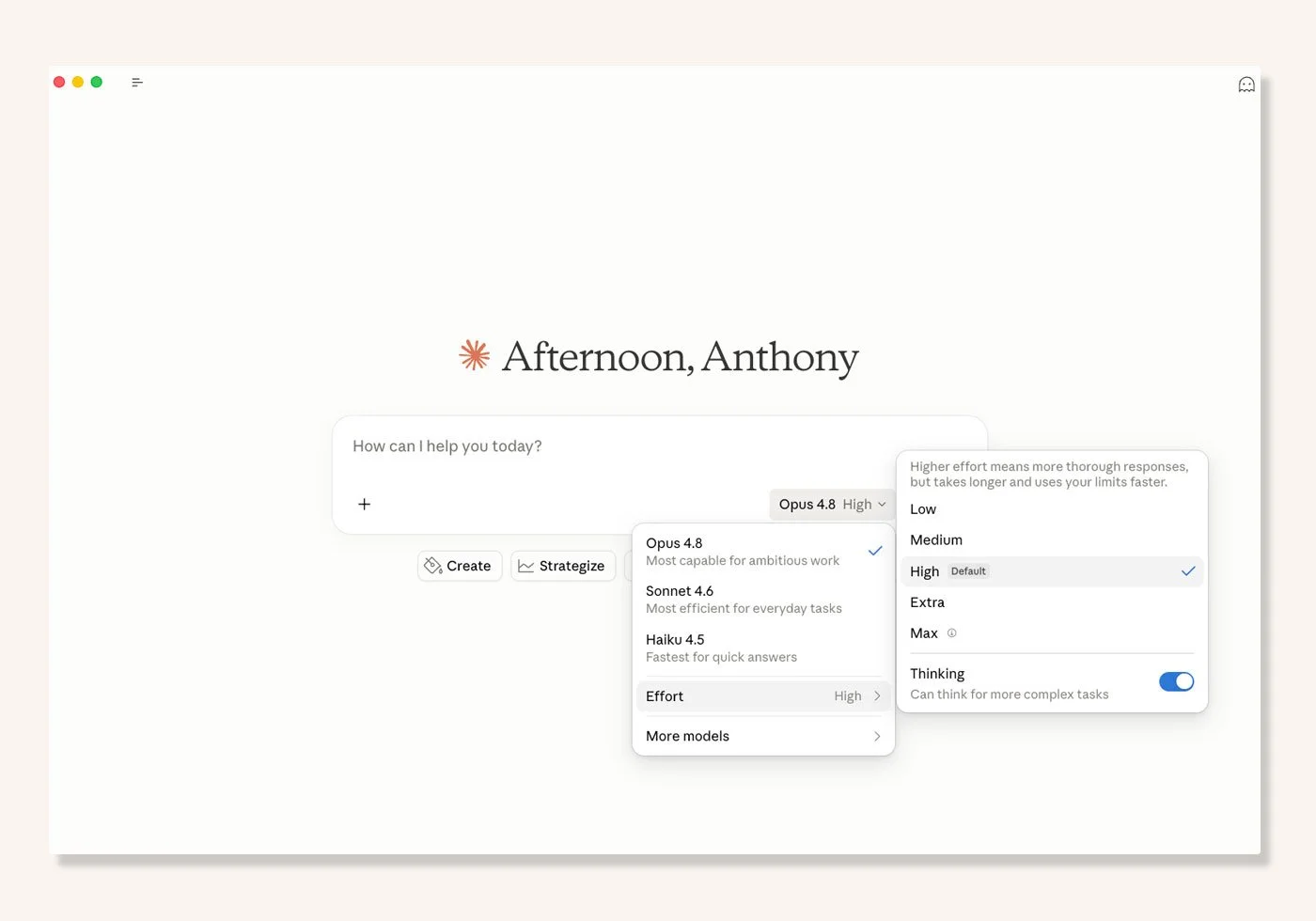
The menu next to Claude's send button controls three separate things: the model, the effort level, and whether Claude shows its thinking. They move independently, and knowing which to reach for is the difference between a chat toy and a real creative collaborator. Here's what each one does.
The Model: Which Claude should a Designer use?
The model is which version of Claude you're working with, chosen from the menu beside the send button. Match the model to the task: the most capable Opus model for heavy thinking, a faster Sonnet model for everyday iteration, and a lighter model for quick lookups.
Think of it as the collaborator you've booked for the session. Version numbers move faster than a rebrand cycle, so don't get attached, but the shape stays the same. Right now the newest and most capable is Opus 4.8, the one you want in the room for the gnarly strategic work. The Sonnet line is fast, genuinely sharp and built for iteration, which makes it your daily workhorse for drafting and back and forth. A lighter, quicker model handles the fast stuff. Hit "More models" to see the full bench.
The instinct is to always book the biggest model just in case. Resist it. Putting Opus on a job that needed thirty seconds of Sonnet is like hiring a 40-piece orchestra to record a demo. Not ambition, just slow. Match the player to the gig.
Effort: How thorough Claude is (Low, Medium, High, Max)
Effort controls how thorough Claude is on a single response, and it has four levels: Low, Medium, High and Max. Higher effort produces more thorough answers, but they take longer and use more of your usage limit. The effort selector is available on Opus 4.8, Opus 4.7, Opus 4.6 and Sonnet 4.6.
Here's what each level is for:
Low and Medium work well for routine tasks and stretch your usage further. Quick lookups, tightening a sentence, "give me ten alternatives to the word premium that aren't premium."
High offers the best balance of quality and speed, which is why it's often the recommended default. Your everyday setting for real work.
Max is the most thorough option, best for difficult or longer-running work. Bring it out for the heavy stuff and expect to wait a little longer.
Each model ships with a sensible level already marked "Default," so you don't have to touch it to get good work. But knowing it's there is the difference between "the AI is being lazy today" and "oh, I left it on Low."
Claude settings for Designres
Thinking: Whether Claude shows its working
Thinking is a separate on/off toggle that makes Claude work through its reasoning in an expandable section before it answers. It's independent of effort, so you can use any combination of the two.
Flip it on and you get a "Thinking" indicator while Claude processes, then a section you can open above the response to see how it got there: the planning, the approaches it weighed, the logic behind the call. For an art director or creative lead, that box is gold. When Claude hands you three naming directions, the answer tells you what. The thinking tells you why, which is exactly the part you need to interrogate, push back on, or quietly steal the best bits from. It's the difference between a junior dropping a deck on your desk and a junior walking you through the rationale. One you can direct. The other you just have to trust.
To turn it on for the models with effort levels: click the model name, mouse over "Effort," and flip the "Thinking" toggle.
Effort vs Thinking: What's the difference?
This trips people up constantly, so to be clear: effort and thinking are separate settings. Effort controls how thorough the answer is. Thinking controls whether you get to see the reasoning behind it. Here's the side by side:
| Effort | Thinking | |
|---|---|---|
| What it controls | How thorough the answer is | Whether Claude shows its reasoning |
| Options | Low, Medium, High, Max | On / Off toggle |
| Speed and usage | Higher levels are slower and use more of your limit | Adds a little time to surface the reasoning |
| Reach for it when | The task is hard or being right matters | You want to check or learn from the "why" |
| Available on | Opus 4.8, 4.7, 4.6 and Sonnet 4.6 | Across models |
Which setting should you use? A Designer's cheat sheet
For most of your day, the defaults are fine. You reach for the dials on the hard stuff:
Quick lookups, word swaps, tightening a line of copy. Fast model, Low or Medium effort, thinking off. Don't book the orchestra for a jingle.
Drafting and iterating. Tone-of-voice options, first-pass concepts, riffing on a tagline, naming long-lists. Sonnet-class workhorse, default effort, thinking off unless you want to watch it reason. This is your daily driver.
Turning a messy brief or research dump into something coherent. Bump effort up, thinking on. You want to read how it connected the dots, because that's where you'll catch the dots it connected wrong.
Pressure-testing a strategy, a positioning, or a concept against the brief. Opus 4.8, High or Max effort, thinking on. This is correctness-critical creative reasoning. Let it dig, and watch it dig.
Writing the rationale nobody wants to write. The "why this works" slide, the strategic justification, the bit of the deck that has to convince a sceptical client. High effort, thinking on, then edit hard in your own voice.
The part no setting will do for you
Here's the catch, and it's the whole House of gAi thesis in one line: no dial will save a vague brief.
Max effort on Opus 4.8 with thinking blazing will still hand you mush if the only direction you gave it was "make me some brand names." Be specific about the problem. Clear prompts help Claude use its effort and thinking time effectively. The settings decide how hard the engine works. You decide where the car is going. Crank the effort on a bad brief and all you've done is reach the wrong place faster, with a slower loading screen.
Tibor Kalman, the M&Co provocateur who spent a whole career refusing to let designers coast, put it best: "Designers are trained to speak in a visual language. But that doesn't give us the right to stop thinking." Same energy here. The thinking toggle belongs to Claude. The actual thinking, the taste, the judgment, the call on which of the three directions is right, stays yours. That's not a limitation of the tool. That's the job.
Learn your instrument
So if AI has felt like a novelty that never quite earned a place in your process, here's the good news. You weren't wrong about the hype. You were just looking at the wrong tool, and using the right one with one hand. It's the wall I watch designers hit every cohort, and it falls the moment they stop hunting for a magic prompt and start working the dials.
Try this before your next brief lands. Take something you'd normally grind out solo, a competitive audit, a naming round, a first cut of strategy, and run it through Claude twice. Once on the default. Once with effort up and thinking on. Open the thinking box and read how it reasons. That five-minute experiment will teach you more than any prompt-hack carousel ever will.
Because a tool is only as interesting as the hand that holds it. The image generators get the attention. The LLM, driven properly, gets the work done. Now go put your hands on the faders.
Want to go deeper on directing AI as a creative, not a button-pusher? That's the whole point of the AI Branding Masterclass. And if image-making is your thing, MidJourney for Designers covers the other half of the toolkit.
Claude settings for Designers: Quick answers
What's the difference between effort and thinking in Claude? Effort controls how thorough Claude's answer is, across four levels (Low, Medium, High, Max). Thinking is a separate on/off toggle that shows Claude's reasoning in an expandable section before the answer. They're independent, so you can combine them any way you like.
What do Claude's effort levels mean? Low and Medium suit routine tasks and use less of your usage limit. High balances quality and speed and is often the default. Max is the most thorough, best for hard or correctness-critical work, and is slower.
Which Claude model should a designer use? Use the top Opus model (currently Opus 4.8) for heavy strategic thinking, a Sonnet model for fast everyday drafting and iteration, and a lighter model for quick lookups. Match the model to the task rather than always picking the biggest.
Where are the model, effort and thinking settings in Claude? In the menu next to the send button. Click the model name to switch model, open "Effort" to set the level, and toggle "Thinking" on or off.
Does higher effort cost more? Higher effort produces more thorough responses but takes longer and uses more tokens, so you reach your usage limits faster. For routine work, lower effort stretches your usage further.
Is Claude better than ChatGPT for designers? It depends on the job, and plenty of designers (this one included) run both. Claude tends to be the stronger thinking partner for briefs, naming, strategy and copy, and it's especially good at HTML and UI design when you want working layout or interface code. ChatGPT is fast and easier on credits, and its GPT Image 2 model renders in-image text with near-perfect accuracy, which makes it excellent for editing and finishing visuals. A common workflow is to generate an image in MidJourney first, then refine it in GPT Image 2, while keeping Claude for the thinking. Use each for what it's good at rather than picking a side.
Is Claude better than MidJourney for designers? They do different jobs. MidJourney generates images; Claude is a language model for thinking work like briefs, naming, strategy and copy. Most designers get the most value from using both, each for what it's good at.
Written by Anthony Wood, founder of House of gAi. 20+ years in advertising including Ogilvy and Havas, and former Global Managing Director at Shillington. Source for settings detail: Claude Help Center.